The Most Complete Crypto Portfolio Dashboard
Octav Pro is the most complete crypto portfolio dashboard: customizable widget boards over benchmark-best data across DeFi, options, perps and Solana.
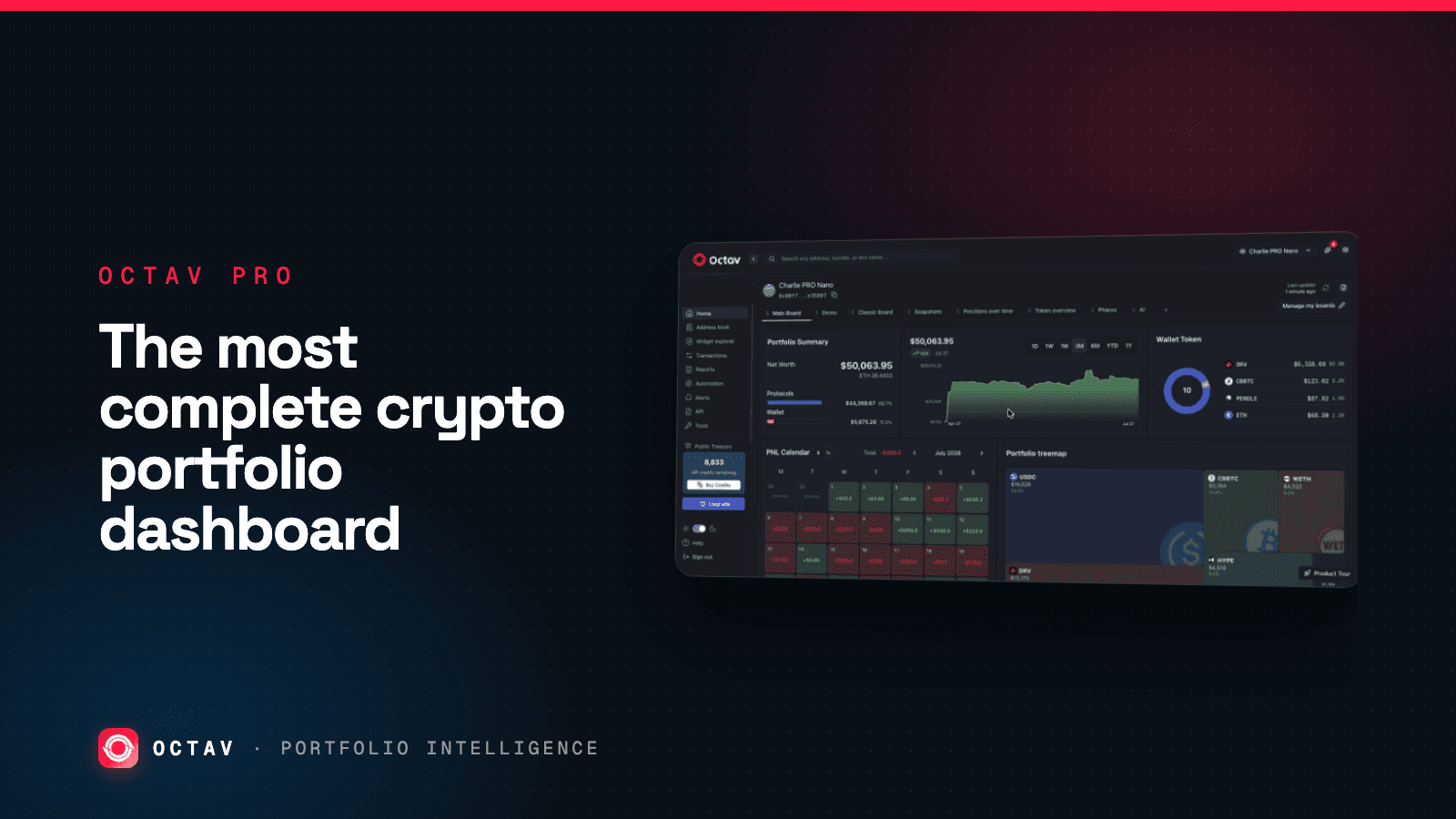
Octav Pro is the most complete crypto portfolio dashboard available — because it is the application layer over the same data engine that tops our nine-provider benchmark on coverage and DeFi decoding, and the only one that also decodes options, perps and Solana DeFi. Best-in-class data underneath, a fully customizable widget dashboard on top, free to start.
Two things make a dashboard "complete": the data has to be right, and the view has to be yours. Most trackers give you a fixed layout over shallow data. Octav gives you an accurate, decoded portfolio and a board you build widget by widget.
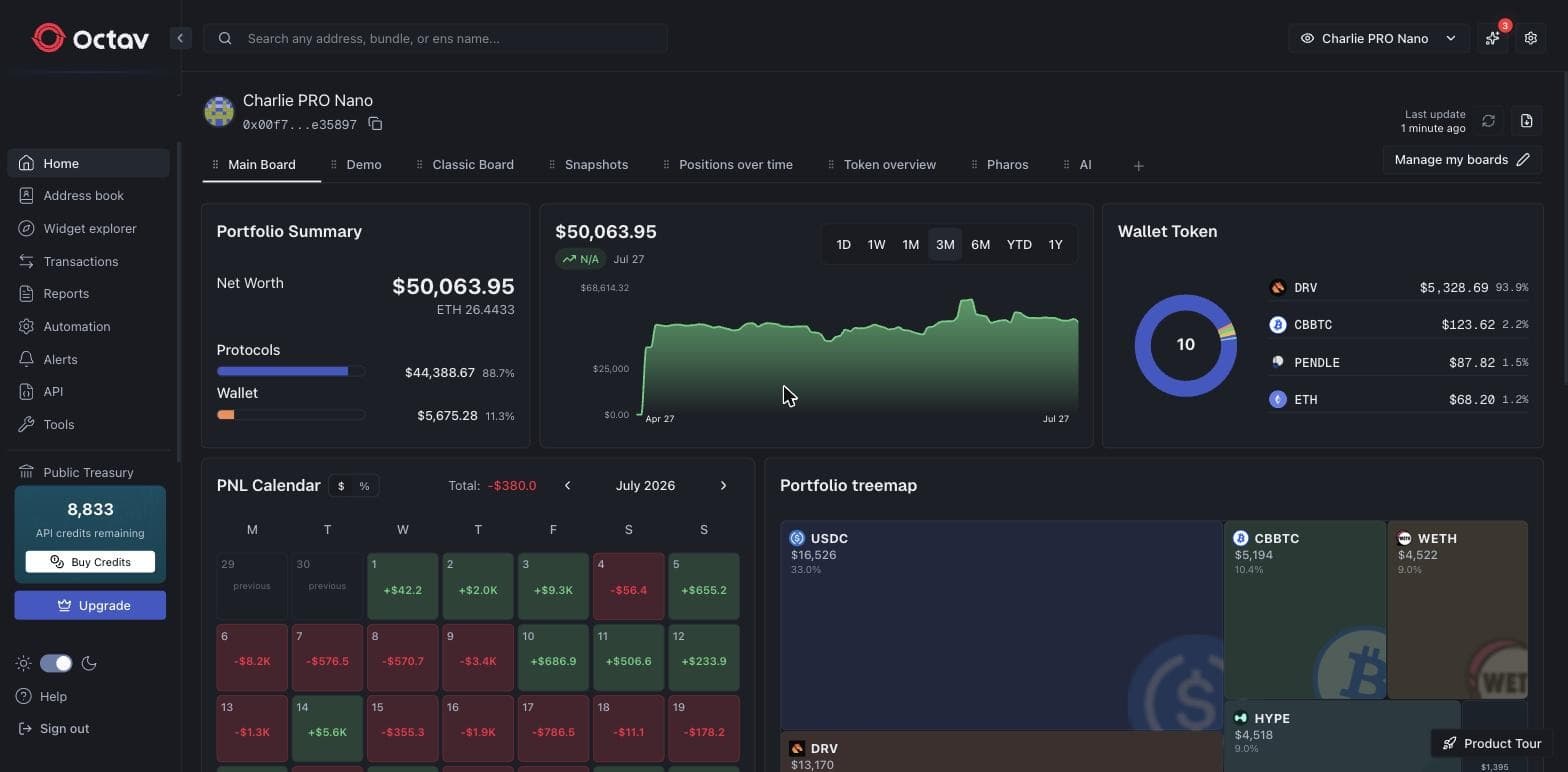
That is one address — net worth $50K, 88.7% of it inside protocols, with a live performance chart, a daily P&L calendar and a portfolio treemap, all on one board. The wallet-versus-protocol split is the number to read first: for an active portfolio, protocol positions routinely dwarf loose tokens, and that is exactly the value token-only trackers miss.
Getting in
Sign-in is a magic link — enter an email, click the link, no password. The account is read-only and never asks for a private key: Octav operates on public chain data only, and the platform is SOC 2 Type 1 and Type 2 compliant. For a fund evaluating vendors, that combination — no key custody, no signing authority, audited controls — is usually security's first question. Details at trust.octav.fi.
Search, address book and bundles
Search any address, ENS name, or bundle from the top bar. The Address Book stores the wallets you track with labels that mean something to your team rather than hex strings, and bundles group several addresses into one combined portfolio — a fund, a treasury, a household.
| Supports | Example |
|---|---|
| EVM addresses | 0x… |
| Solana addresses | base58 |
| ENS names | vitalik.eth |
| Bundles | many addresses, one portfolio |
Labelling is not cosmetic: knowing which addresses you control is what stops internal transfers being booked as disposals during reconciliation — the single largest source of false taxable events in crypto accounting.
Boards: your dashboard, not a template
This is where Octav pulls away from every fixed-layout tracker. A board is a canvas of widgets, and you can have as many as you need. Out of the box there are ready-made boards — Main Board, Classic Board, Snapshots, Positions over Time, Token Overview, an AI board — and you can build your own from scratch.
From Manage my boards you can:
- Create a new board — a blank canvas to lay out exactly the widgets you want.
- Add widgets from the explorer and move, resize or remove them in edit mode.
- Rename, duplicate or reset a board, or delete it.
Duplicate a board to spin a variant for a different audience — one for daily monitoring, one an investor sees — without rebuilding it.
The widget explorer
Every widget lives in the Widget Explorer: a searchable catalog you browse by category — Overview, Chains, Protocols, Wallet, Chain Filters — and drop onto any board.
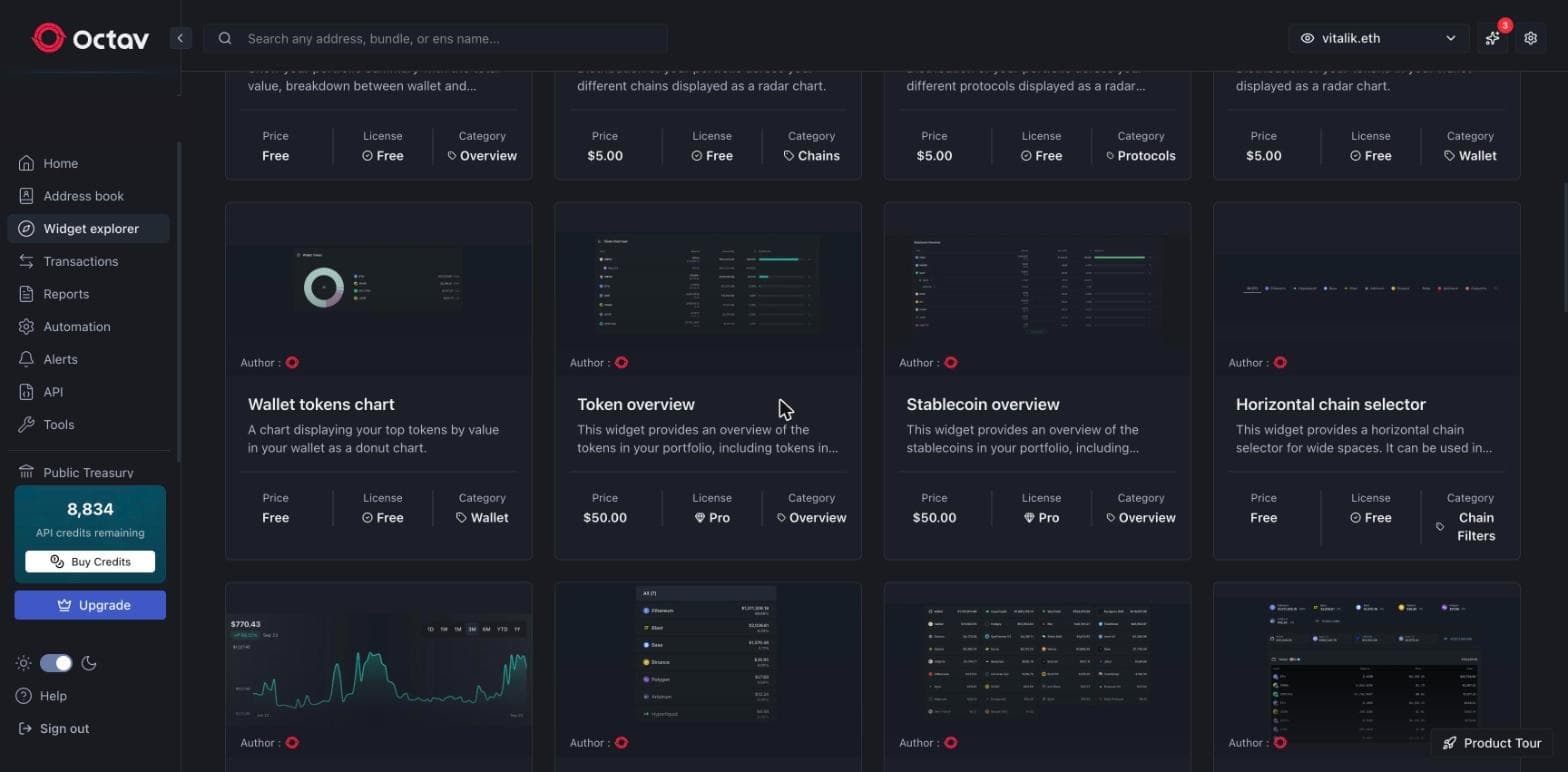
The catalog runs from 24 widgets on the free tier to 39 on Pro, and includes:
| Widget | What it answers |
|---|---|
| Portfolio Summary | Net worth, and the wallet-versus-protocol split |
| Performance chart | Value over time — 1D, 1W, 1M, 3M, 6M, YTD, 1Y |
| Wallet Token chart | Top holdings as a donut |
| Chains / Protocols / Tokens radar | Distribution across networks, protocols, tokens |
| Token & Stablecoin overview | Holdings and stablecoin exposure in depth |
| Horizontal chain selector | Filter the whole board to one network |
| P&L calendar | Daily profit and loss across a month |
| Portfolio treemap | Every holding sized by value |
Some widgets are free; premium widgets carry a price and a license, so you only pay for the views you actually put on a board.
Create your own widget
Widgets in the explorer carry an author — because you are not limited to the ones Octav ships. Build your own widget over the same portfolio data, save it to your boards, and it lives in the explorer like any other. It is the difference between a dashboard you configure and a dashboard you can genuinely extend. Widgets can also be embedded outside the app — see embed a live portfolio widget.
Every position, decoded, across every chain
The Classic Board is the one to open when you want the full holdings breakdown: portfolio summary and token allocation up top, then every position grouped by protocol, with a per-chain filter across every network the wallet touches.
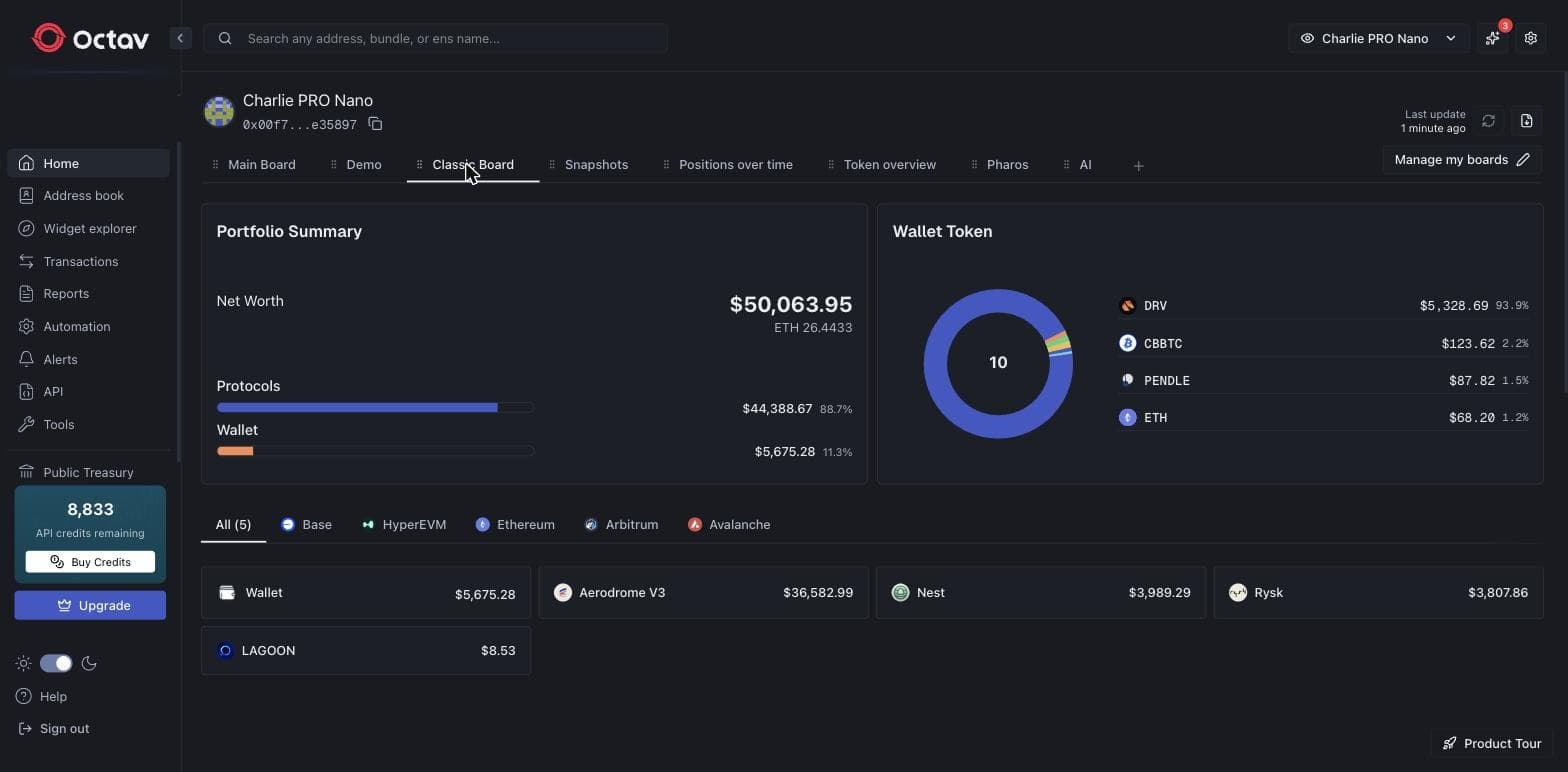
Aerodrome, Nest, Rysk, LAGOON — each protocol position resolved individually and priced, not folded into one opaque balance. This is what a benchmark coverage score of 100 looks like in a product, and it is the same decoded data the API returns. For the sectors most tools miss entirely, see tracking DeFi positions across chains, Hyperliquid perps and Derive options.
Transactions
A decoded, labelled transaction history, filterable by chain, protocol, type and date range. On Pro, transactions can be tagged and labelled, which is what turns raw activity into something an accountant can reconcile from.
Reports and exports
The output of the platform lands in the format the recipient wants — an auditor is not going to log into your dashboard:
- PDF and CSV reports, plus an asset-variation report and the P&L calendar.
- Tax exports in the exact schema of ten tax and accounting platforms — Koinly, CoinTracker, TaxBit and more. See export crypto transactions to any tax software.
Beyond the board
The sidebar carries the rest of the platform: Automation and Alerts for scheduled reports and threshold notifications, Snapshots for reproducible point-in-time history (which cannot be backfilled — see daily snapshots), Public Treasury pages for transparent, access-free NAV, and direct API access to everything the app shows.
Plans
| Plan | Price | Widgets | Adds |
|---|---|---|---|
| Free | $0 | 24 | Customizable boards, up to 5 bundles, 10 addresses per bundle |
| Lite | $149/yr per address | 26 | Daily snapshots, historical timeline, analytics widgets |
| Pro | $499/yr per address | 39 | Transaction tagging, PDF/CSV reports, P&L calendar |
| Enterprise | Custom | 39 | SLA, dedicated support, custom limits and development |
Pricing is per address, which is the thing to model first — a fund with forty wallets is making a different decision than an individual with three.
Why it is the most complete dashboard
Two reasons, and they compound:
- The data is the most complete measured. Octav ties the top benchmark scores on coverage and DeFi decoding and is the only provider that also decodes options, perps and Solana DeFi. A dashboard is only as good as the data under it.
- The dashboard is genuinely yours. Unlimited custom boards, a widget catalog you extend with your own widgets, per-chain filtering, bundles — not a fixed template.
Start free on any wallet at pro.octav.fi. For how the app and the API fit a fund's workflow, see crypto portfolio management for funds, and the full toolset for everything alongside it.
Keep reading
 Portfolio Management
Crypto Portfolio Tracker: Track Any Wallet Free
Track any wallet's full crypto portfolio free — tokens and DeFi, options, perps and Solana decoded across 50+ chains, with no account and no private keys.
3 min read
 Portfolio Management
Daily Crypto Portfolio Snapshots Explained
On-chain history is not portfolio history. Why point-in-time snapshots have to be recorded going forward, and what they unlock for reporting and audit.
2 min read
 Portfolio Management
Crypto Portfolio Management for Funds
The operating stack a digital asset fund needs — position enumeration, valuation, exposure, NAV, reconciliation and reporting — and where each stage breaks.
2 min read