Export Crypto Transactions to Any Tax Software
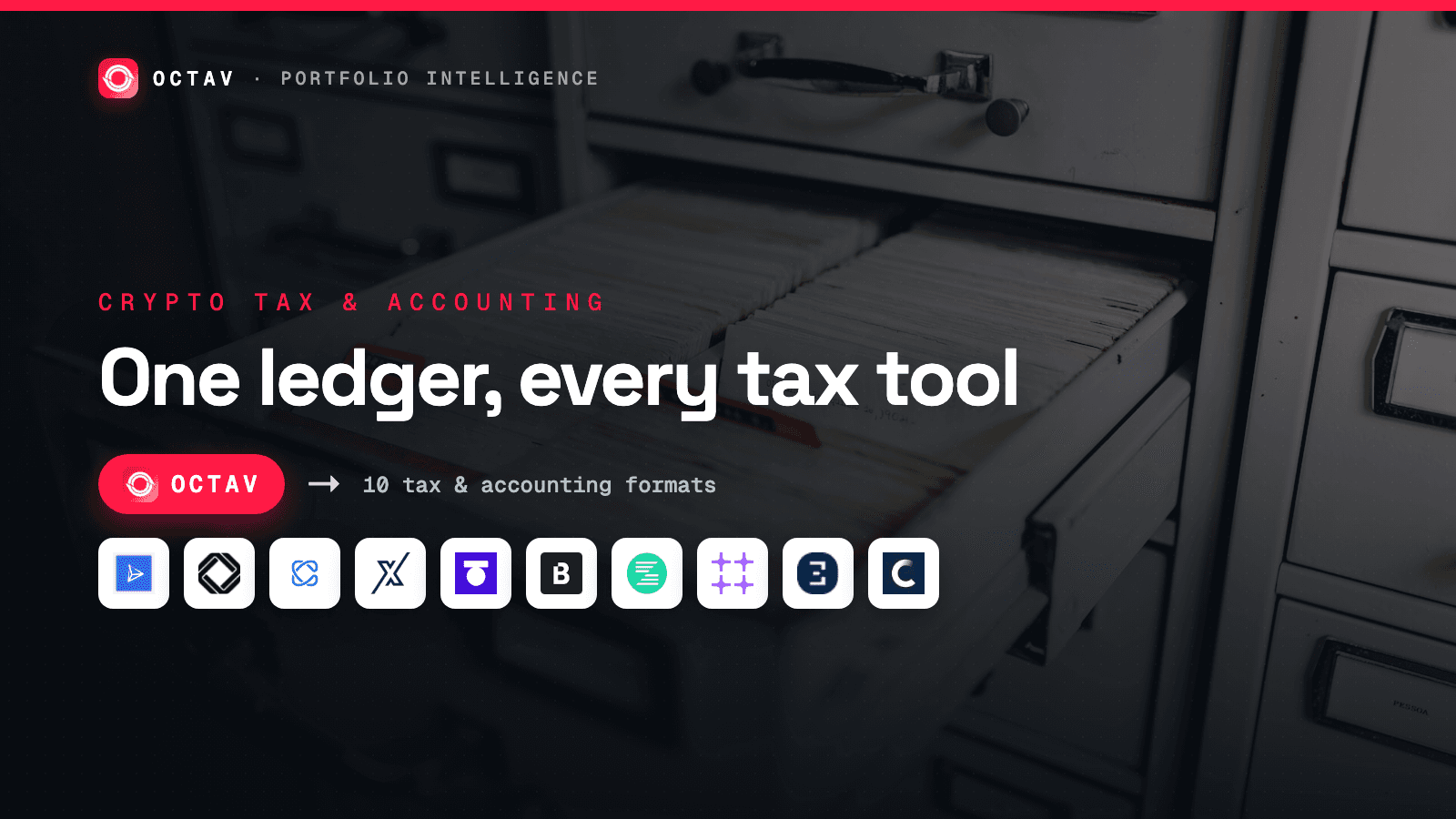
Sync accurate multi-chain transaction history with Octav, then export it to Koinly, CoinTracker, TaxBit and seven other crypto tax and accounting platforms.
At tax time the hard part is not the tax software. It is getting a complete, accurate transaction history out of a wallet that has touched a dozen chains and a hundred protocols. Block-explorer exports miss internal transfers, mislabel DeFi, and price nothing.
Octav does the hard part. It indexes your full multi-chain history, decodes it, and then exports it in the exact CSV format your tax or accounting platform expects — Koinly, CoinTracker, TaxBit and seven more. You reconcile once, in Octav, and import into the tools you already use.
Octav sits in front of your tax stack: best data in, existing subledger and filing tools unchanged.
Why on-chain history is the hard part
A crypto transaction record is only useful for accounting if it is complete, decoded and priced. On-chain, all three are hard:
| Problem | What a raw export gets wrong |
|---|---|
| Multi-chain | Each chain is a separate explorer with a separate CSV. Fifty exports, fifty formats. |
| DeFi | A Uniswap swap, an Aave supply or a staking claim shows as opaque Contract Interaction, not income or a disposal. |
| Internal transfers | Moving between your own wallets looks like a taxable send unless it is netted out. |
| Pricing | Explorers give you amounts, not USD cost basis at the block timestamp. |
Octav indexes 50+ chains and 1.1B+ transactions, decodes protocol activity into typed events, and attaches USD values at the time of each transaction. For why two tools can report the same wallet differently, see Why portfolio APIs disagree about your net worth. For the accounting side of getting this right, see Crypto transaction reconciliation.
Step 1 — Get your transactions
Two ways in, same data:
- The app. Sync a wallet, open Transactions, and load the full history. You can try it with no account on authless.octav.fi/transactions — it costs about one credit per 250 transactions. For how the keyless app works, see Try a portfolio API without an API key.
- The API. Pull the same history programmatically from the transactions endpoint and pipe it straight into your own subledger. See the endpoint reference for parameters and credit costs.
Either way you get a decoded, priced, deduplicated ledger — the thing your accountant actually needs.
Step 2 — Export to your tax or accounting platform
One click. Choose a format, and Octav writes a CSV that matches that platform's import schema exactly — right columns, right order, right headers. The schemas differ (CoinTracker takes 8 columns, Crypto Tax Calculator takes 15), which is the whole reason a generic export fails and a per-platform one just imports.
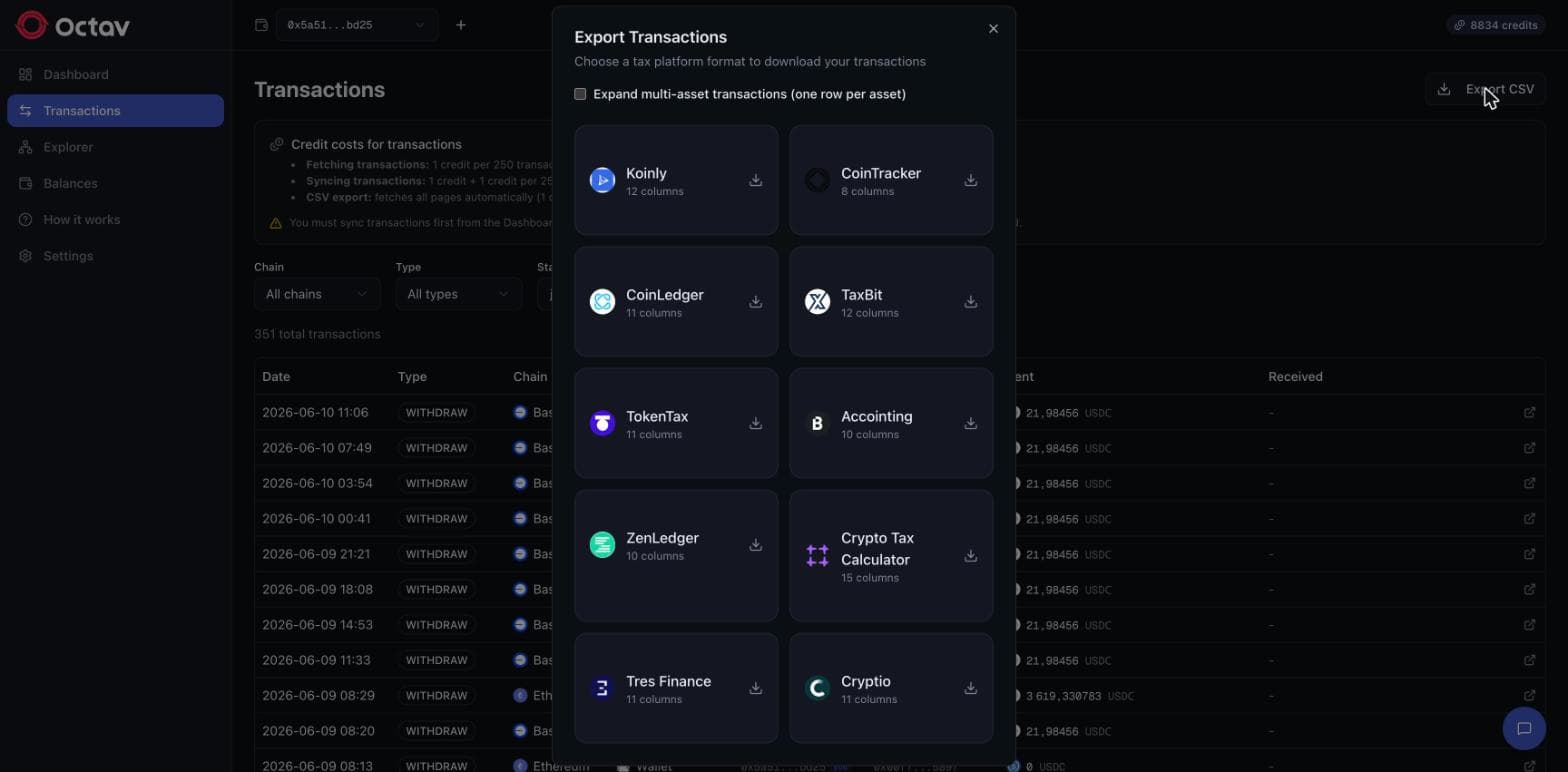
There is also an Expand multi-asset transactions option — one row per asset — for platforms that want a single asset per line.
Formats Octav exports
Ten supported destinations, with the column count of each format*:
 Koinly12 columns
 CoinTracker8 columns
 CoinLedger11 columns
 TaxBit12 columns
 TokenTax11 columns
 Accointing10 columns
 ZenLedger10 columns
 Crypto Tax Calculator15 columns
 Tres Finance11 columns
 Cryptio11 columns
*Each platform owns its own import format and can change it at any time. Octav keeps these exports current, but does not guarantee a file will match a platform's current schema exactly — check the import on the platform's side.
The consumer crypto-tax tools (Koinly, CoinTracker, CoinLedger, TokenTax, ZenLedger, Accointing, Crypto Tax Calculator, TaxBit) turn the file into a filing. The accounting platforms (Cryptio, Tres Finance) treat it as a subledger feed for the books. Octav produces the format each one imports cleanly.
Which format should I pick?
Pick the one you or your accountant already use — that is the point. Octav is not asking you to switch tax tools; it is making sure whichever you have gets correct on-chain data.
| If you… | Export to |
|---|---|
| File your own crypto taxes | Koinly, CoinTracker, CoinLedger, TokenTax, ZenLedger, Crypto Tax Calculator |
| Work with a US tax provider | TaxBit, TokenTax |
| Keep the books / run a subledger | Cryptio, Tres Finance |
| Migrated off Accointing | Any of the above — the source data is the same |
App or API?
- Use the app for a one-off or year-end export: sync, load, download, import.
- Use the API to automate it — a scheduled pull into your subledger, or a monthly close that never touches a manual CSV. For agent and pipeline patterns, see AI agent tools for crypto data.
Either path, the value is the same: Octav owns the accuracy and coverage problem, and hands your existing tax and accounting stack a clean file it knows how to read.
Keep reading
 Tax & Compliance
Crypto Transaction Reconciliation for Audits
Turning raw on-chain activity into an auditable ledger. Why transaction labelling is the bottleneck, and what an accountant actually needs from the data.
2 min read
 Benchmarks & Comparisons
Octav vs CoinLedger: Live Portfolio vs Tax Tool
CoinLedger is crypto tax software; its portfolio tracker is a filing by-product. Octav is the live, decoded multi-chain portfolio data that feeds tools like it.
2 min read
 API & Developers
Portfolio at Block: A Complete Guide
Query a wallet's exact decoded portfolio at any historical block on Ethereum, Linea and Monad — decoded Uniswap V4 everywhere, V3 on Linea.
3 min read